Accessing Charts
Charts can be found directly in the left navigation pane, organized under their respective track. The charts visible to the user and not hidden from the navigation will appear in the Charts list.
Export Feature: You can download and save charts as an image. Additionally, if the export feature is enabled, you can export the chart's data into an Excel or CSV file. Click on the chart to view a detailed list of the data used to create it.
Hover Feature: When you hover over the different components of a chart, key points and metrics related to the data are displayed.
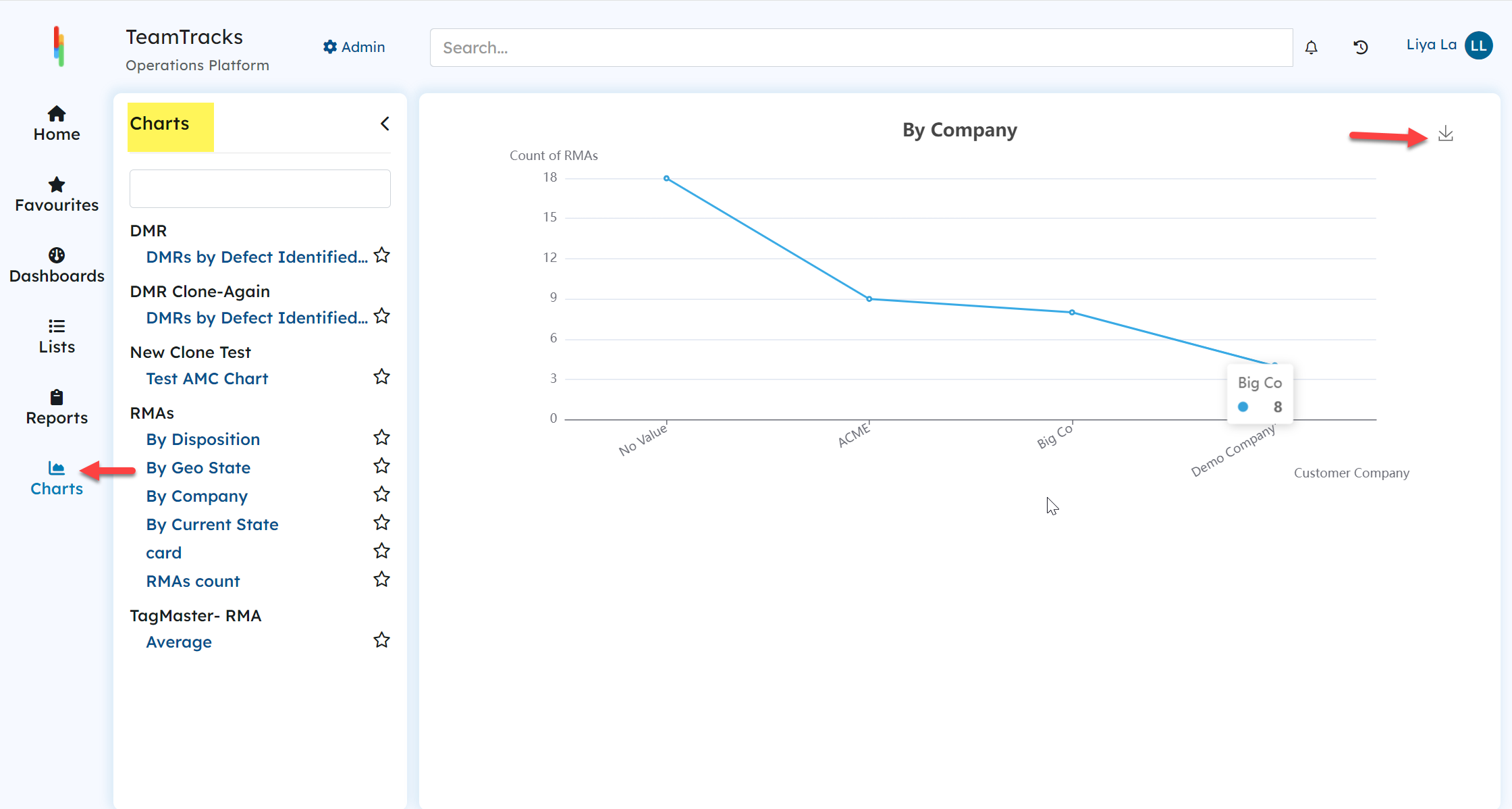
Agent Portal: Charts
Additionally, charts are often used as components within dashboards, so they can also be accessed through dashboards.
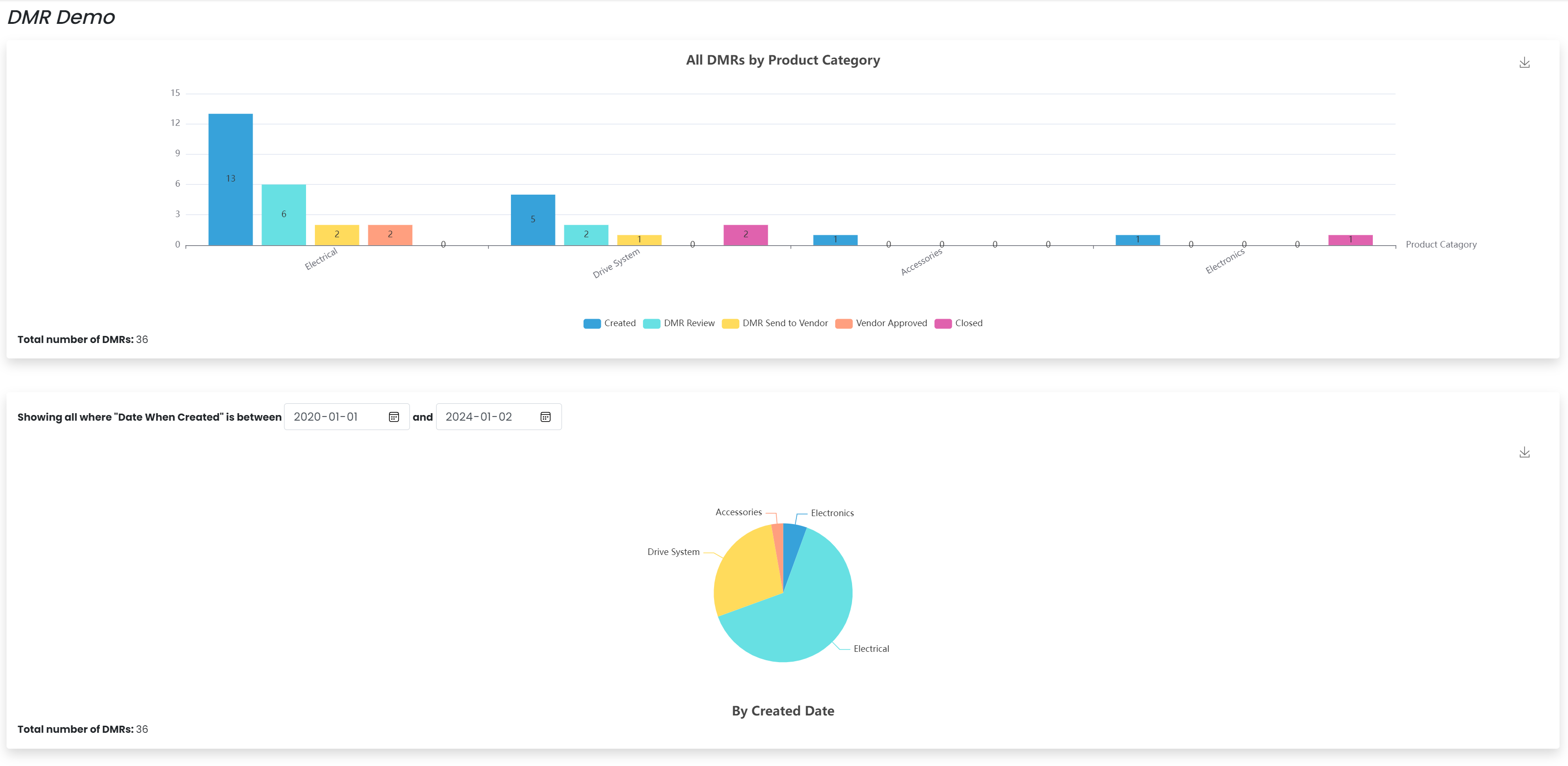
Multiple Charts on a dashboard
Client Portal:
Charts can be accessed by adding them as items to pages in the client portal settings.