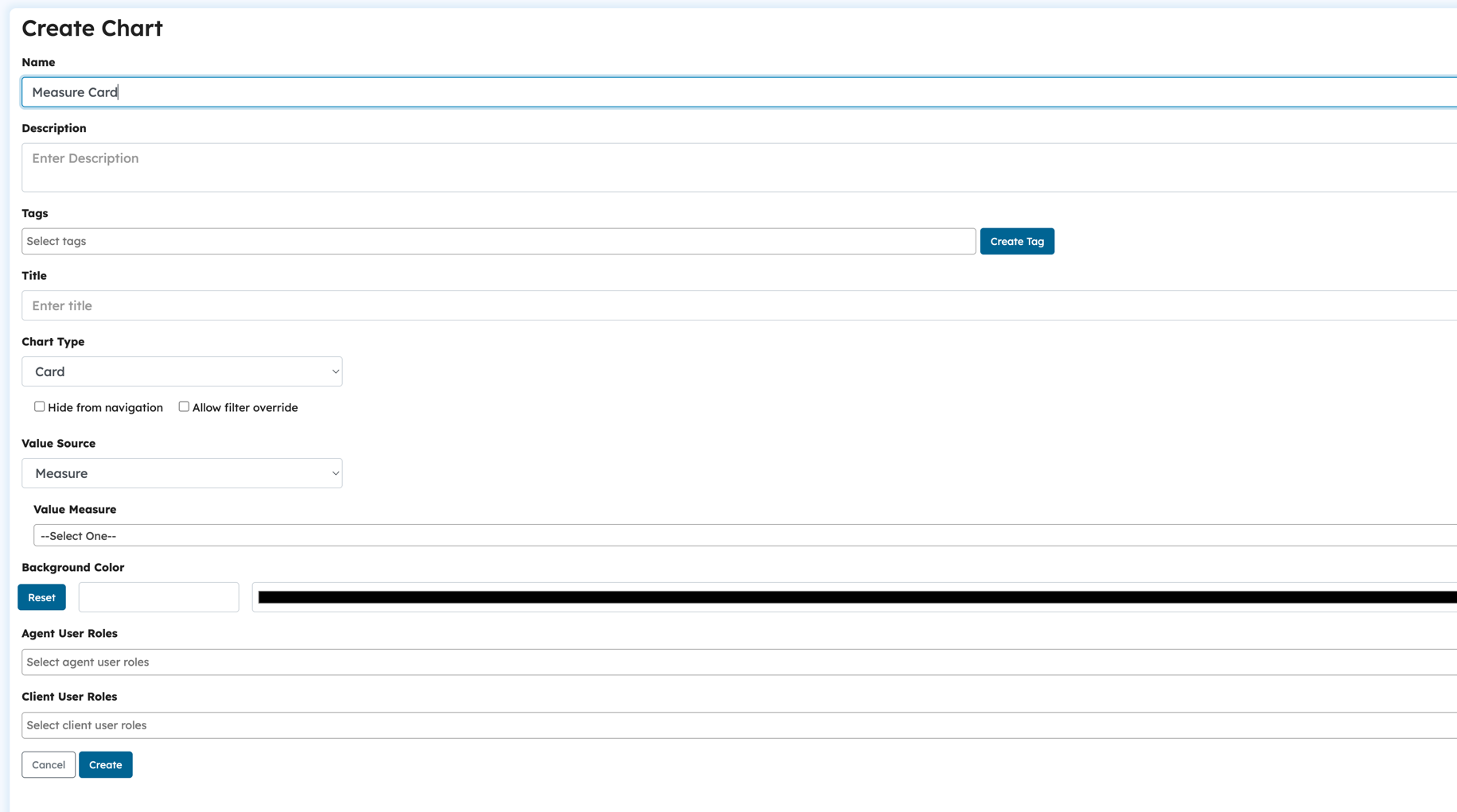
Measures are a general purpose feature that allows users to define a formula with numbers and aggregations of objects. They can be used to create more complex card charts. Measures come in two forms:
BaseMeasure: Used for defining an aggregation over objects in one track. You can perform count, sum or average operations.
CalculatedMeasure: Used for defining a expression using numbers, base measures and basic arithmetic operations.
Creating a Measure
To create a measure,
Click on "Create New"
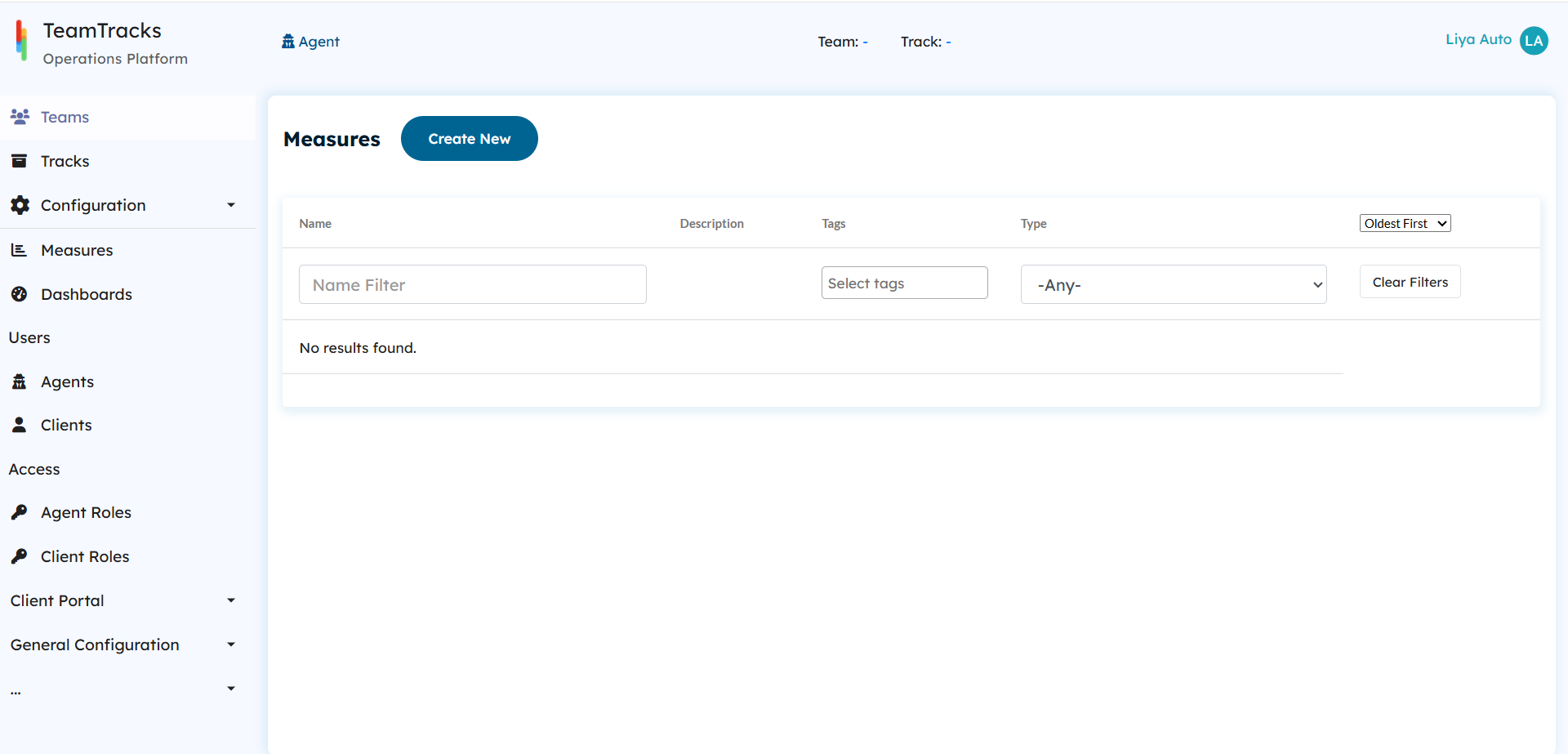
Admin Interface: Measures list
Give your measure a Name and Description.
Select a measure type from the dropdown list.
If BaseMeasure is selected, you must assign a track and aggregate type. When using sum or average aggregate types, you must specify a value field as well. Refer to card charts for more information.
If CalculatedMeasure is selected, you may use the calculation expression builder to construct a expression. Refer to calculation fields for more information.
Click the Create button.
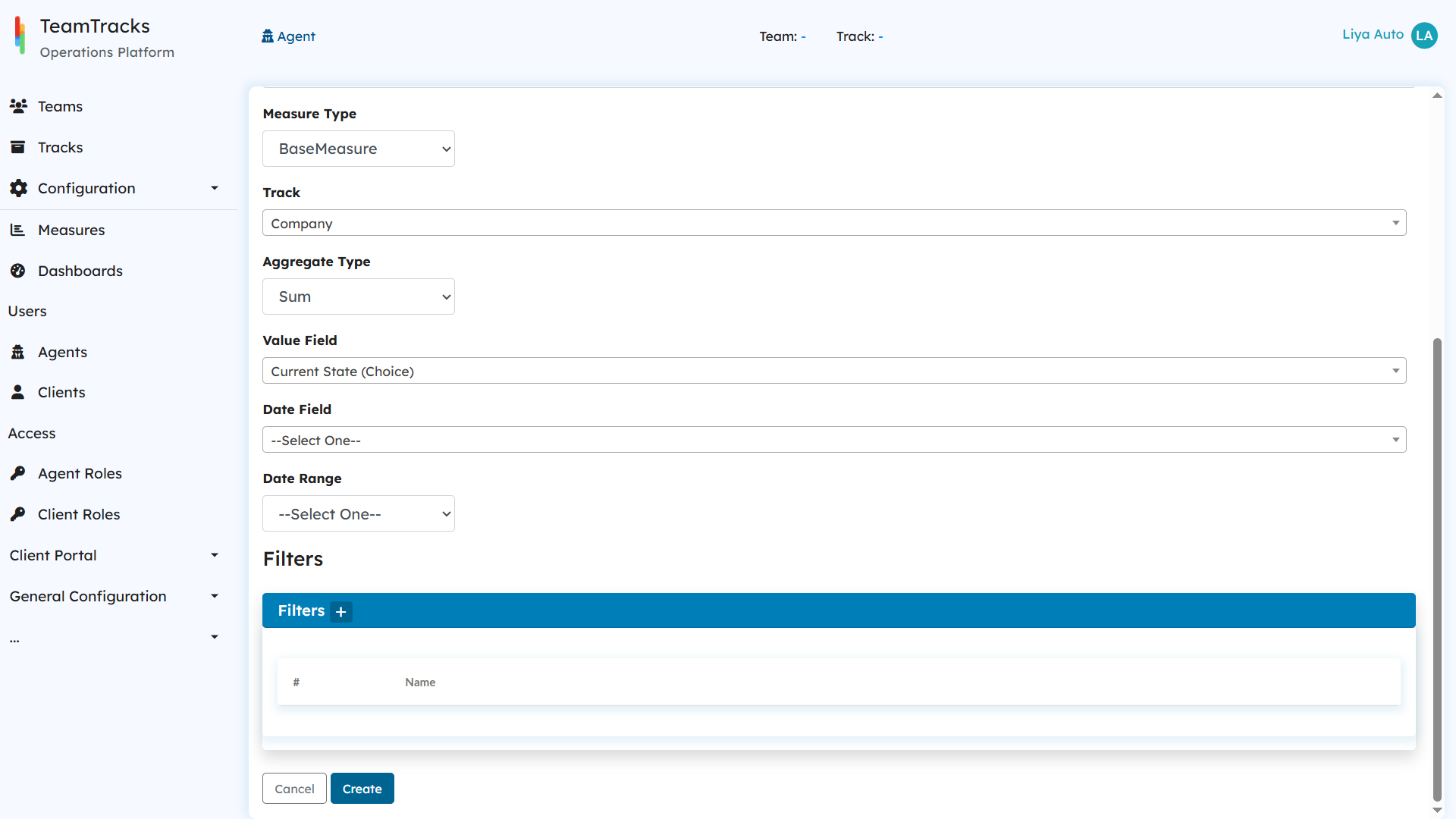
Admin Interface: Create Base Measure screen
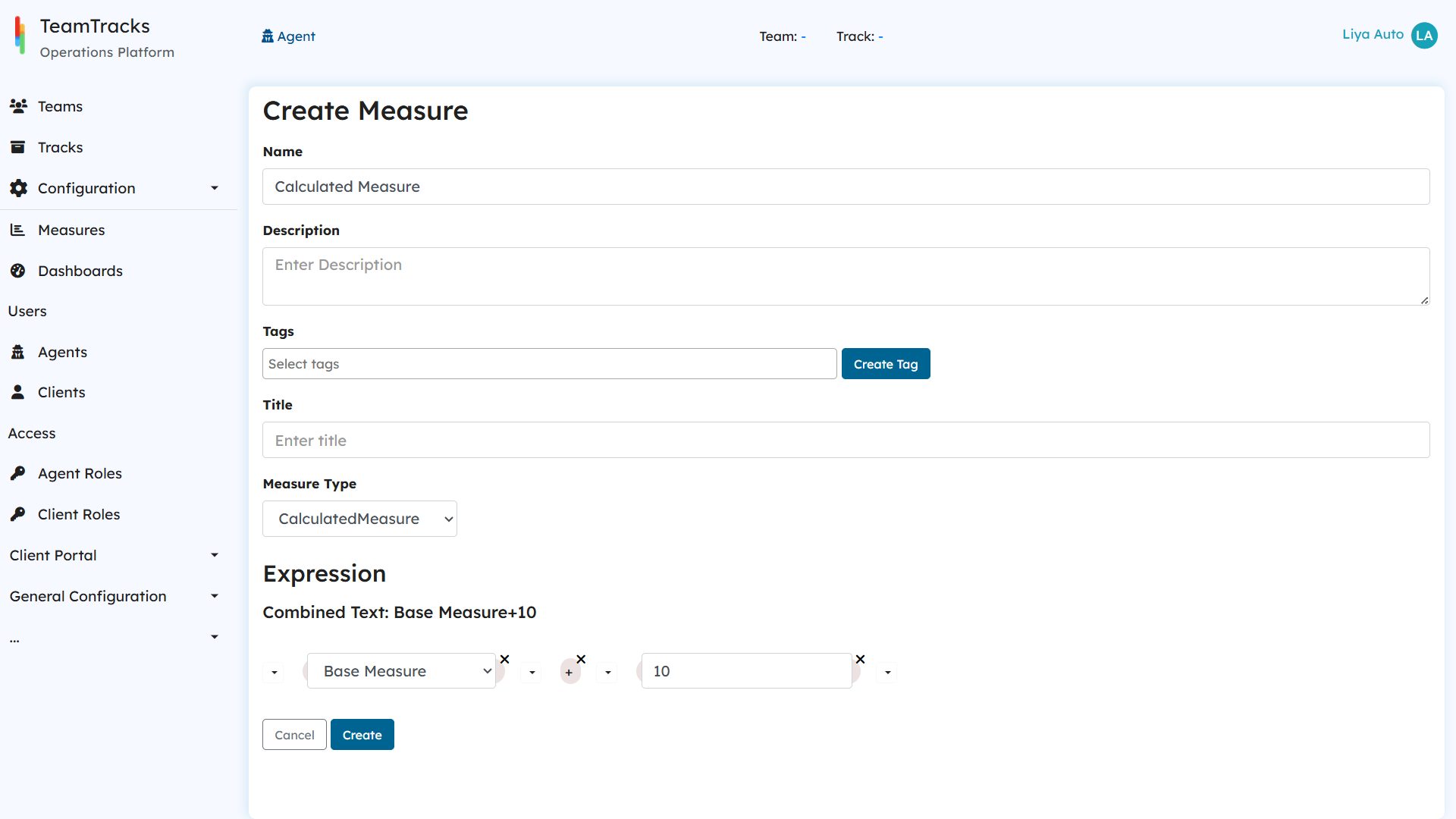
Admin Interface: Create Calculated Measure screen
Displaying Measures
Once created, measured can be displayed on dashboards using Cards.