
What’s New
Set Default Favorites for Agent Roles
You can now define a default Favorites list for agent roles. Any new agent created with a specific role will automatically receive the favorites configured for that role.
In the Admin Interface, navigate to the Agent Role settings page.
This option is available for the following items:
List Views
Add Views
Reports
Charts
Dashboards
Generic Lists
To add track-specific items, first select a track, then use the Add to Favorites checkbox.
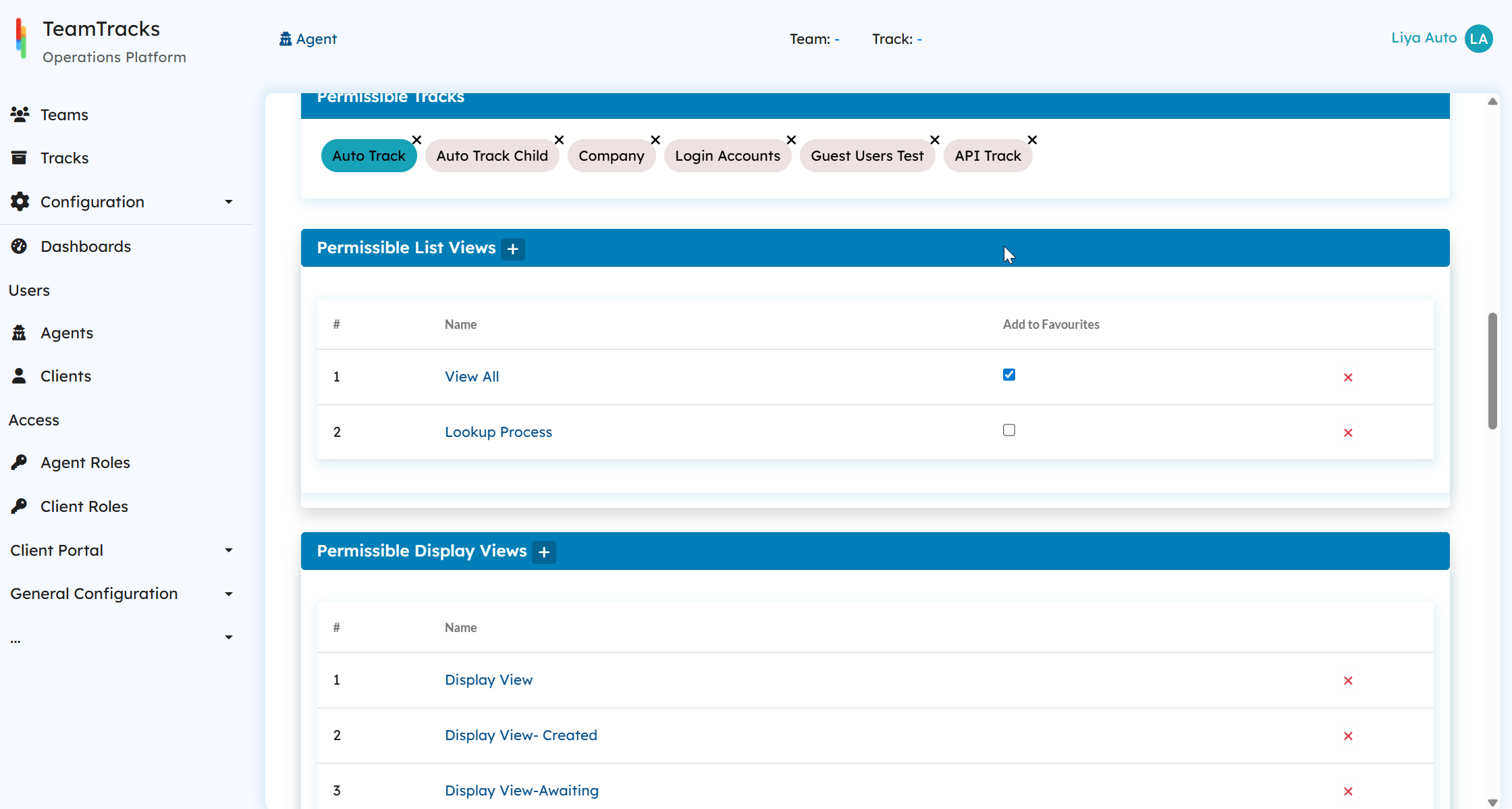
A Preview tab is available to see how the Favorites section will appear for agents before saving your changes.
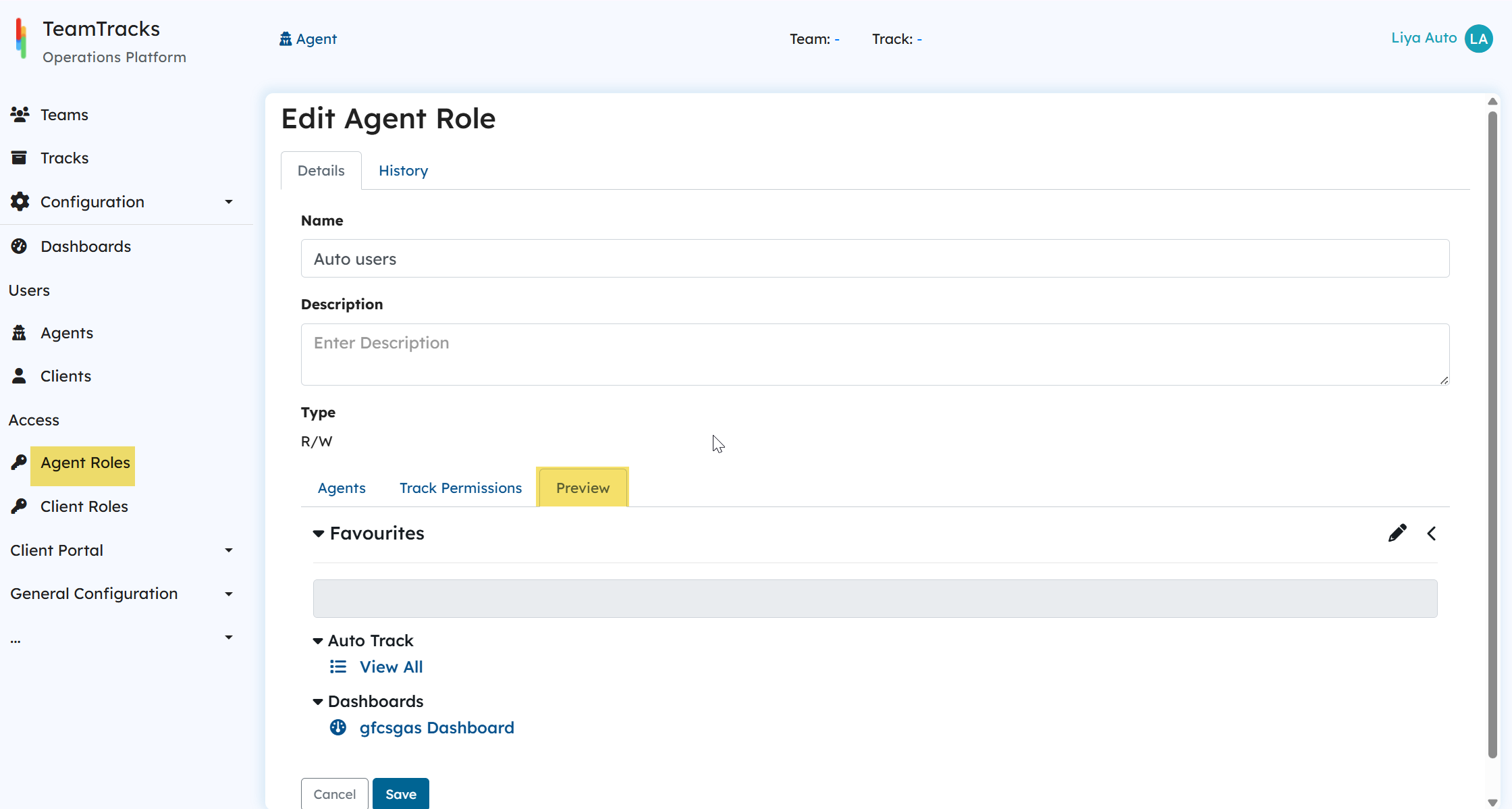
This helps new agents get quick access to their key work items as soon as they log in.
Note:
This feature applies only to newly created agents. It does not affect existing agents.
Notable Bug Fixes
Fixed an issue where image fields could not be uploaded from Add Views.
Fixed an issue where the image upload button was missing from HTML fields in the client portal pages.
Fixed an issue where an empty error message was shown when an HTTP action failed due to an incorrect URL.
Fixed an issue where pages were not automatically scrolled to top when multiple Add Views were involved during object creation.