
What’s New
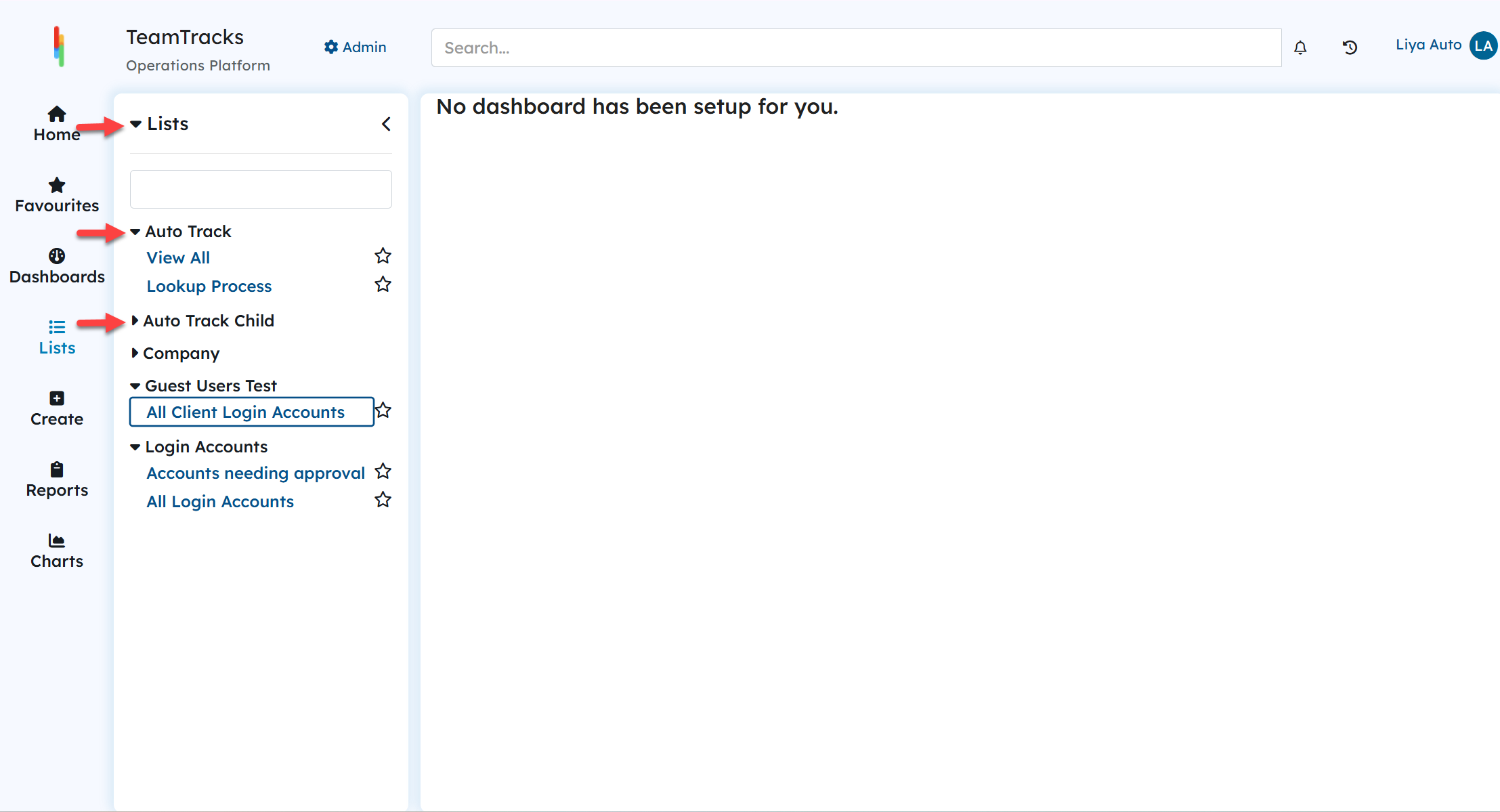
Collapsible Menu in the Agent Interface
Users can now collapse or expand the menu in the middle navigation pane by clicking the caret icons next to each track. The top-level caret icon controls all tracks at once. By default, all tracks are expanded, and the setting resets when the page is refreshed.
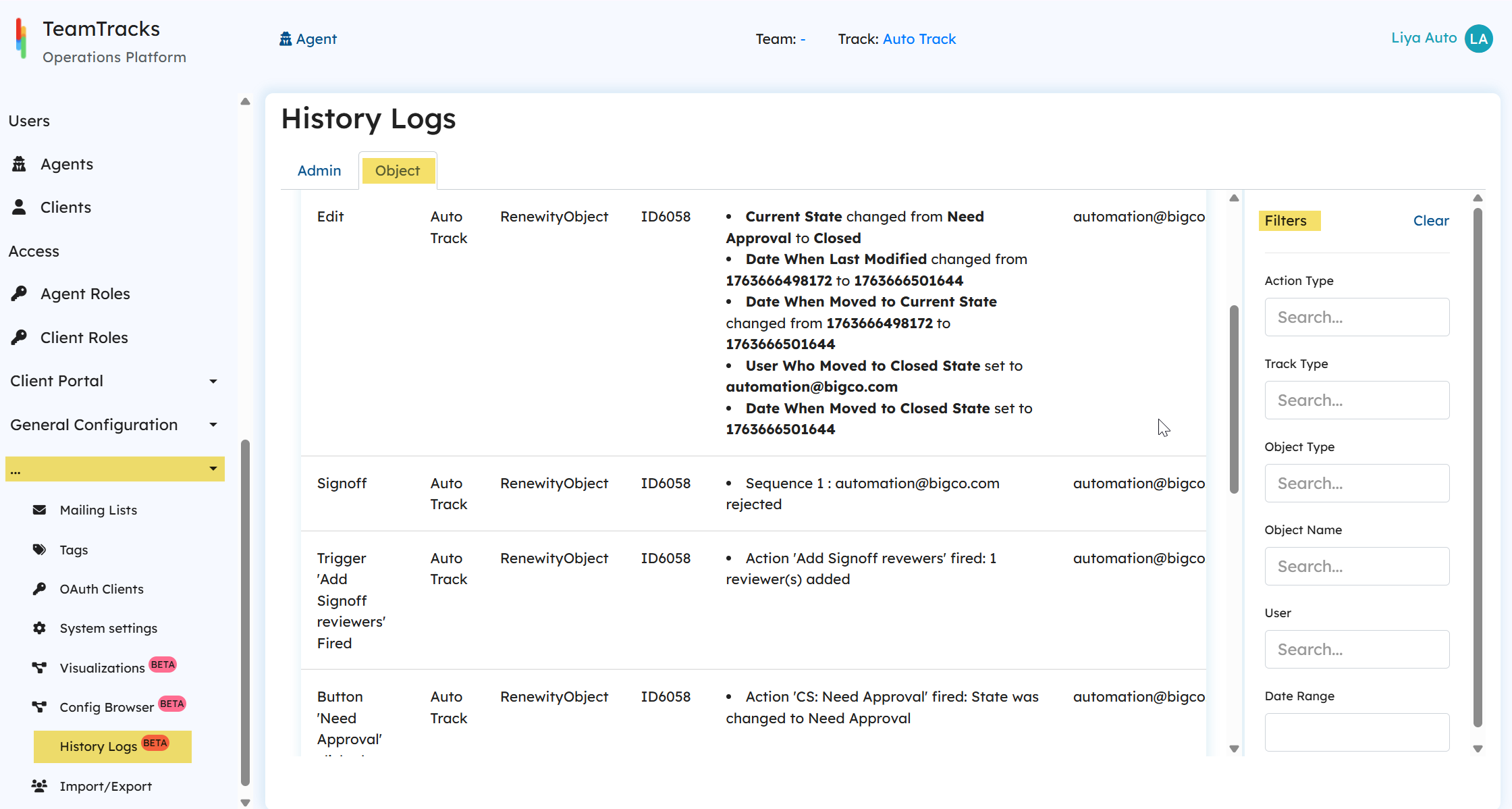
Comprehensive Object History Logs in Admin Interface (Beta)
The History Logs page in the admin portal now tracks all activities performed on any object. Users can filter records by action type, track type, object name, user, and date range. To access the History Logs page, expand the three-dot menu in the Admin Interface. Object-specific history is available under the second tab.
Tagging Now Available in Admin Interface
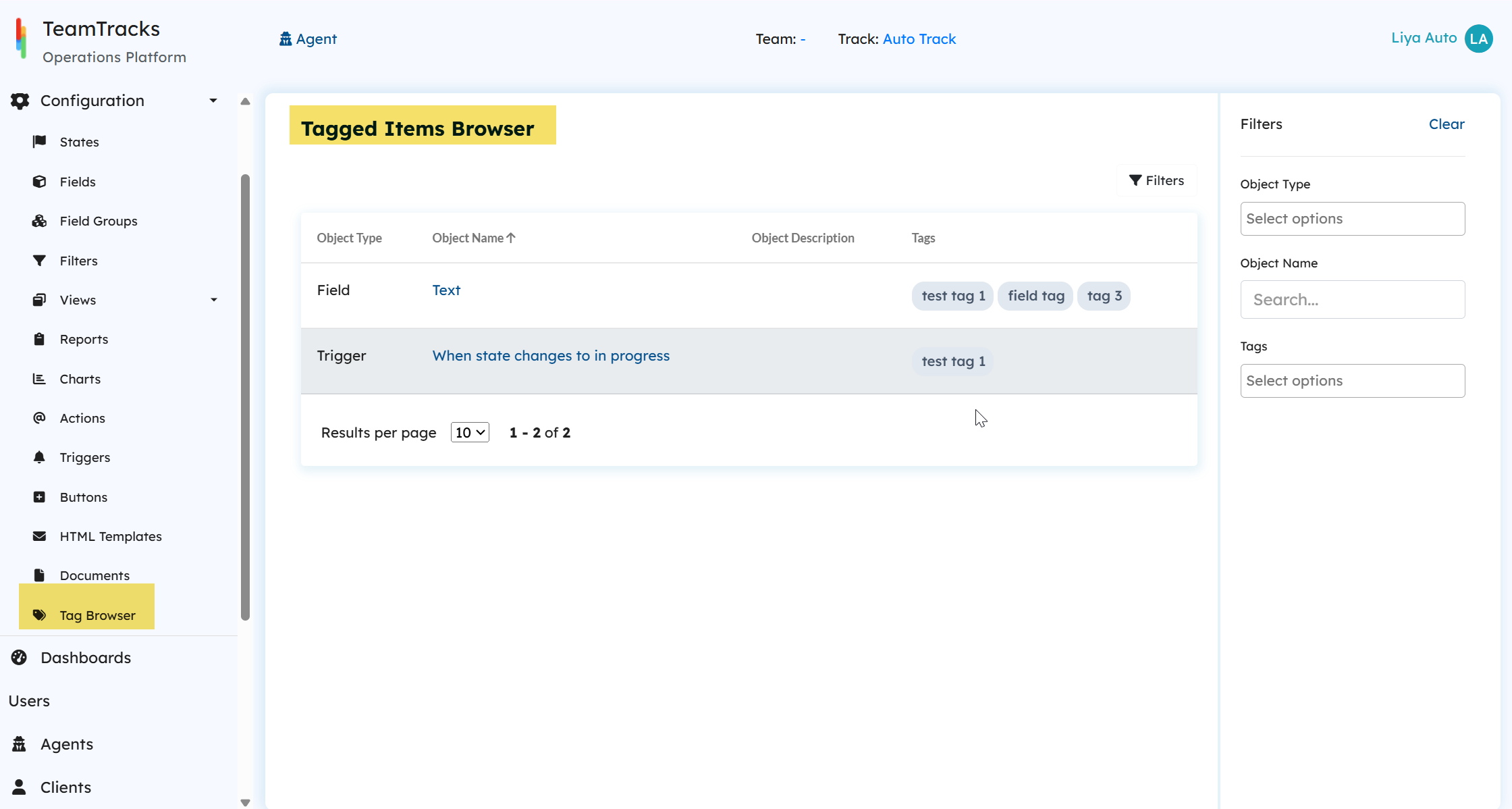
Introduced tagging in the Admin Interface to help organize and quickly access related configuration items. Admins can tag them, improving navigation and reducing time spent searching for specific items.
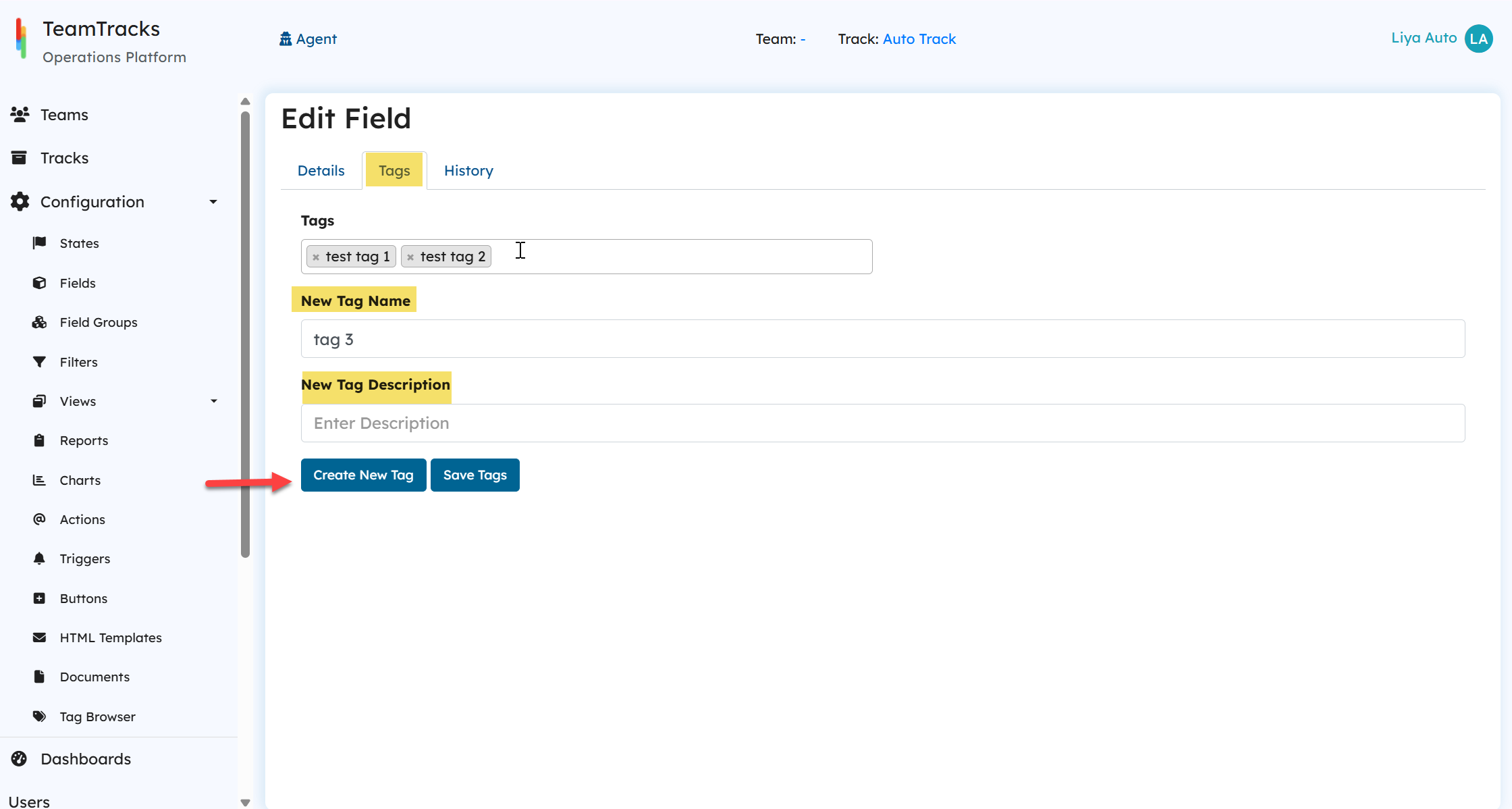
A new Tag Browser is available below the Documents page, allowing admins to browse the tagged items and filter results by tag name, object type and name.
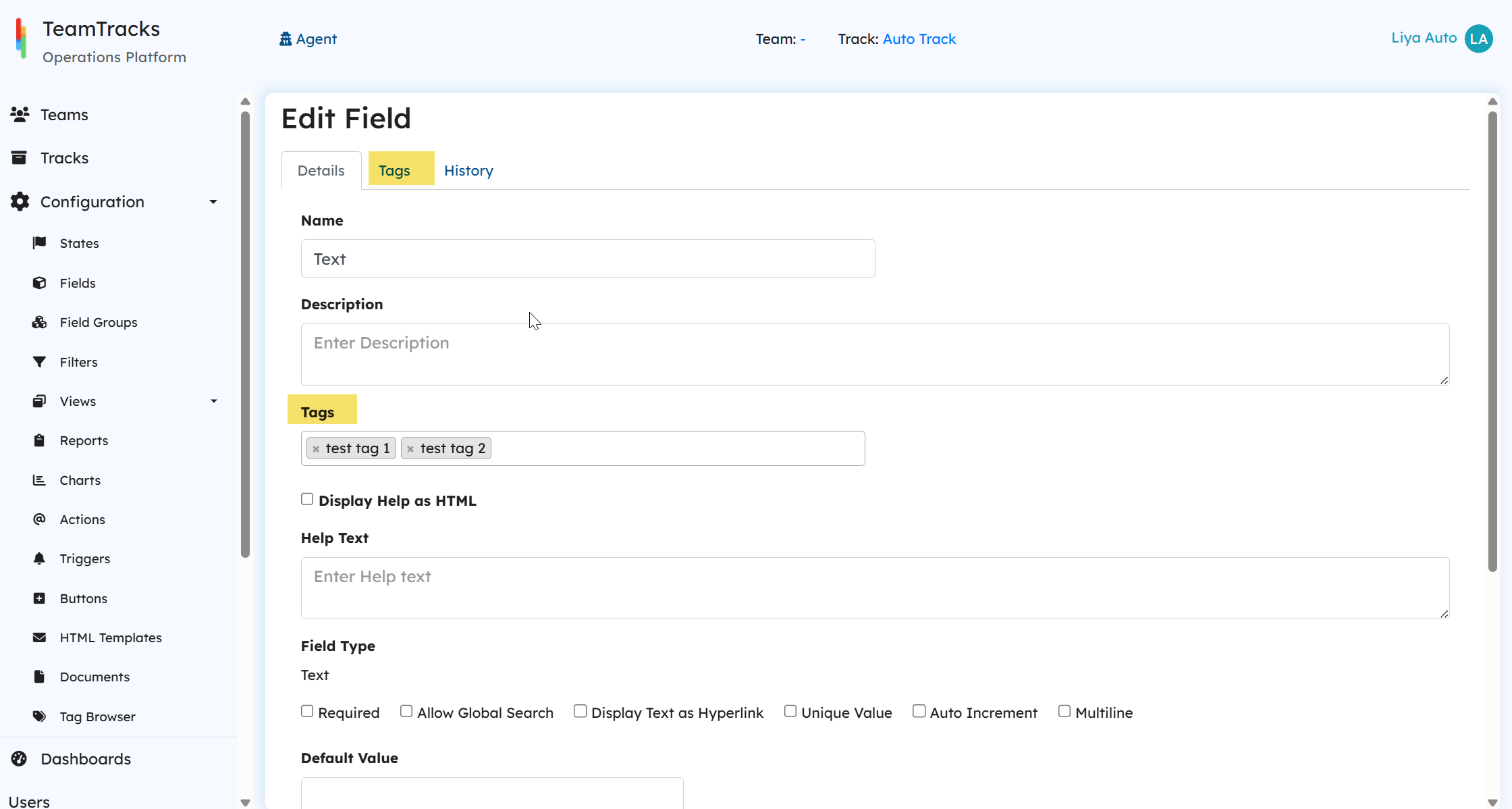
Add Tags in two ways:
Admins can select existing tags from the multi-select Tags field available in the Details tab of the item configuration page.
Create new tags from the Tags tab by entering a tag name and description(optional). Newly created tags are automatically added (but not saved, you must click save tags) and will be available to all other configuration items.
HTTP Action Enhancements (Beta)
Major enhancements have been made to the HTTP Action, enabling seamless use for API calls. These updates simplify configuration and improve overall usability. Click here to learn more about the HTTP Action.
Notable Bug Fixes
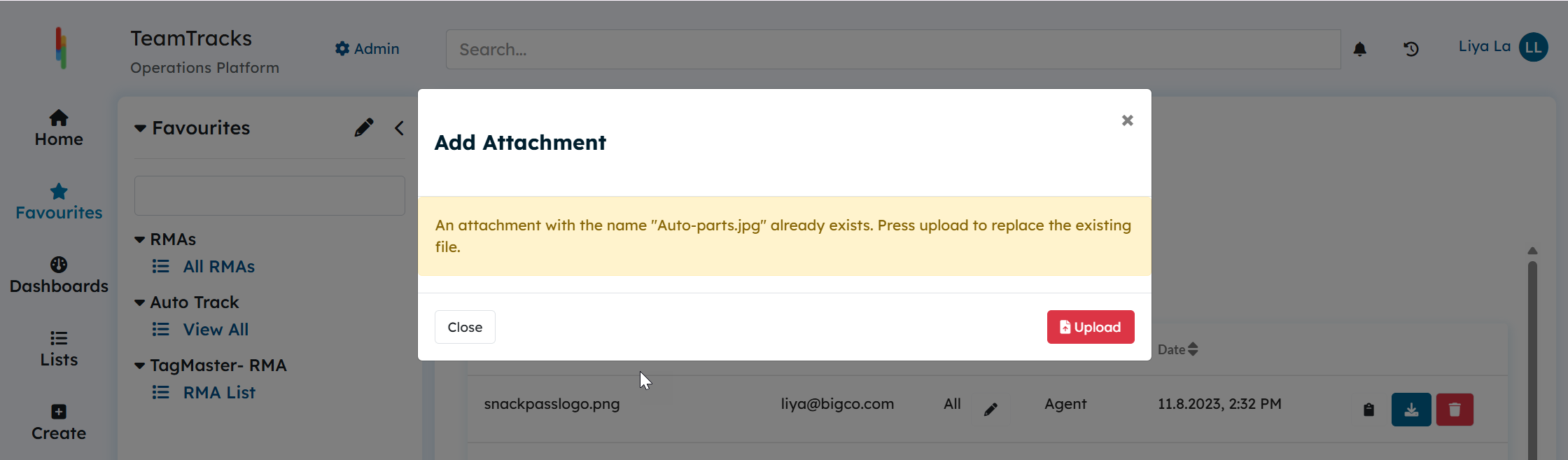
Fixed an issue where uploading files with the same name in on an object under ‘Attachments’ section caused issues. Now, if a user tries to upload a file that has the same name as an existing attachment, the system will display a message indicating that the file already exists. The user can then choose Upload to replace the existing file with the new one.
Fixed an issue where disabled choice option was not being applied in the Add views.
Fixed an issue where label fields can’t be used in field updates during relationship field setup.