
Introduction
The timer field acts as a fully featured stopwatch that supports pausing and resetting via actions (See Update Timer State). Timers always start in the "Not Started" state. They can be moved into the "Started" state, the “Stopped“ state or the "Paused" state. The state of a timer can be seen by looking for the three icons as shown below.

Timer States
Steps to create a Timer field
Provide a Name and Description of your formula field. You can also include helpful instructions to guide the user using Help Text. Simply enable the check box “Display Help as HTML” to display the help text in HTML format.
Select Timer as Field Type.
Set the display unit to the desired time unit. By default the unit is set to minutes.
Set the number of decimal places to the desired number of digits. By default this value is set to 2 digits.
There are two ways to set a default timer value. You can either set the default timer source to "Literal" and type a number or set the default timer source to "Field" and select a date, dateTime or dateDifference field from the selector.
Click on Create button.
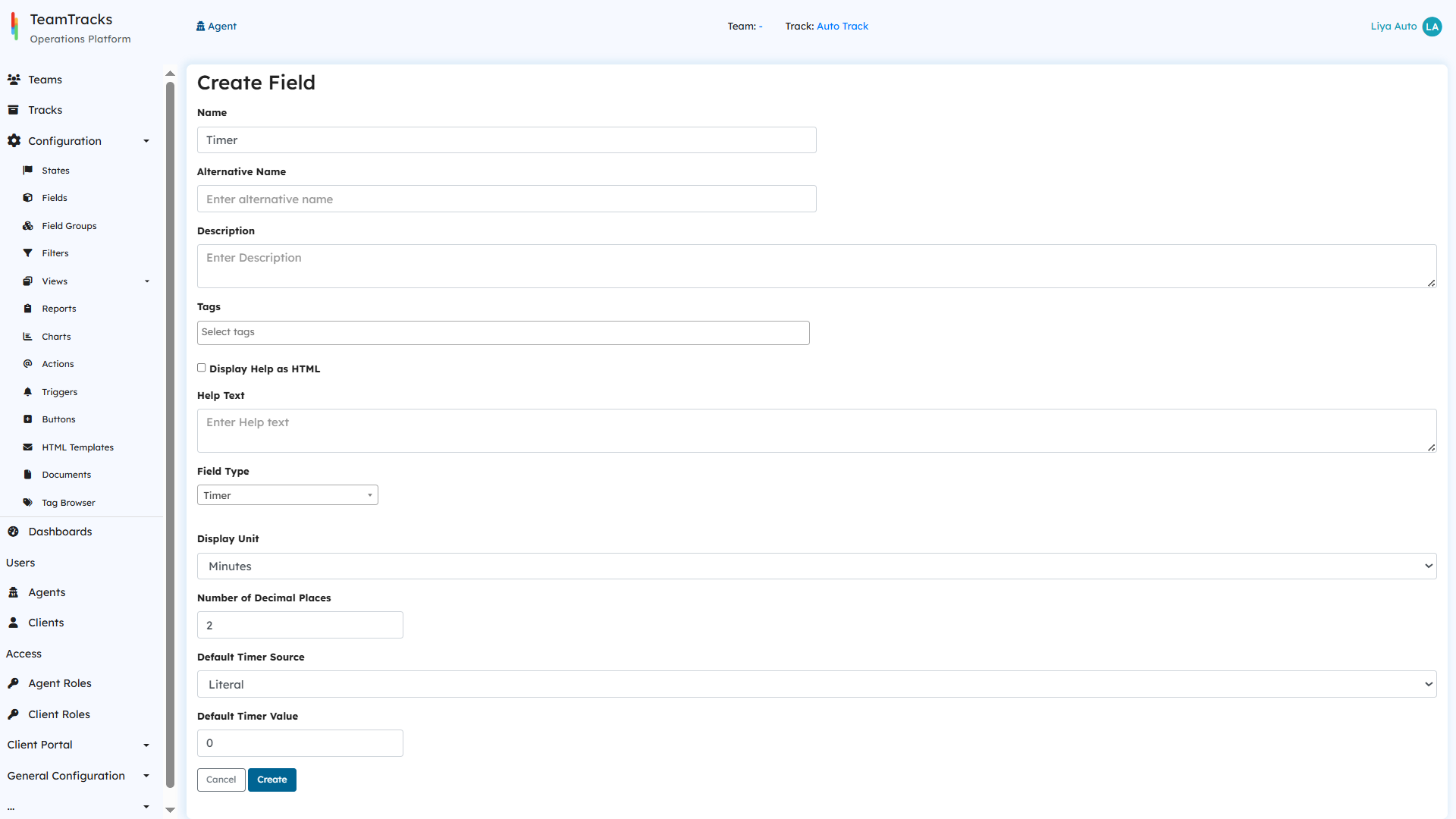
Admin Portal: Create Field Screen